Blog Details

How to create a sign-in required poll?

June 9, 2025
Anna
Tutorial

1. Click “Create” on the top navigation bar.

2. Fill in the title and other information and click “Next”.

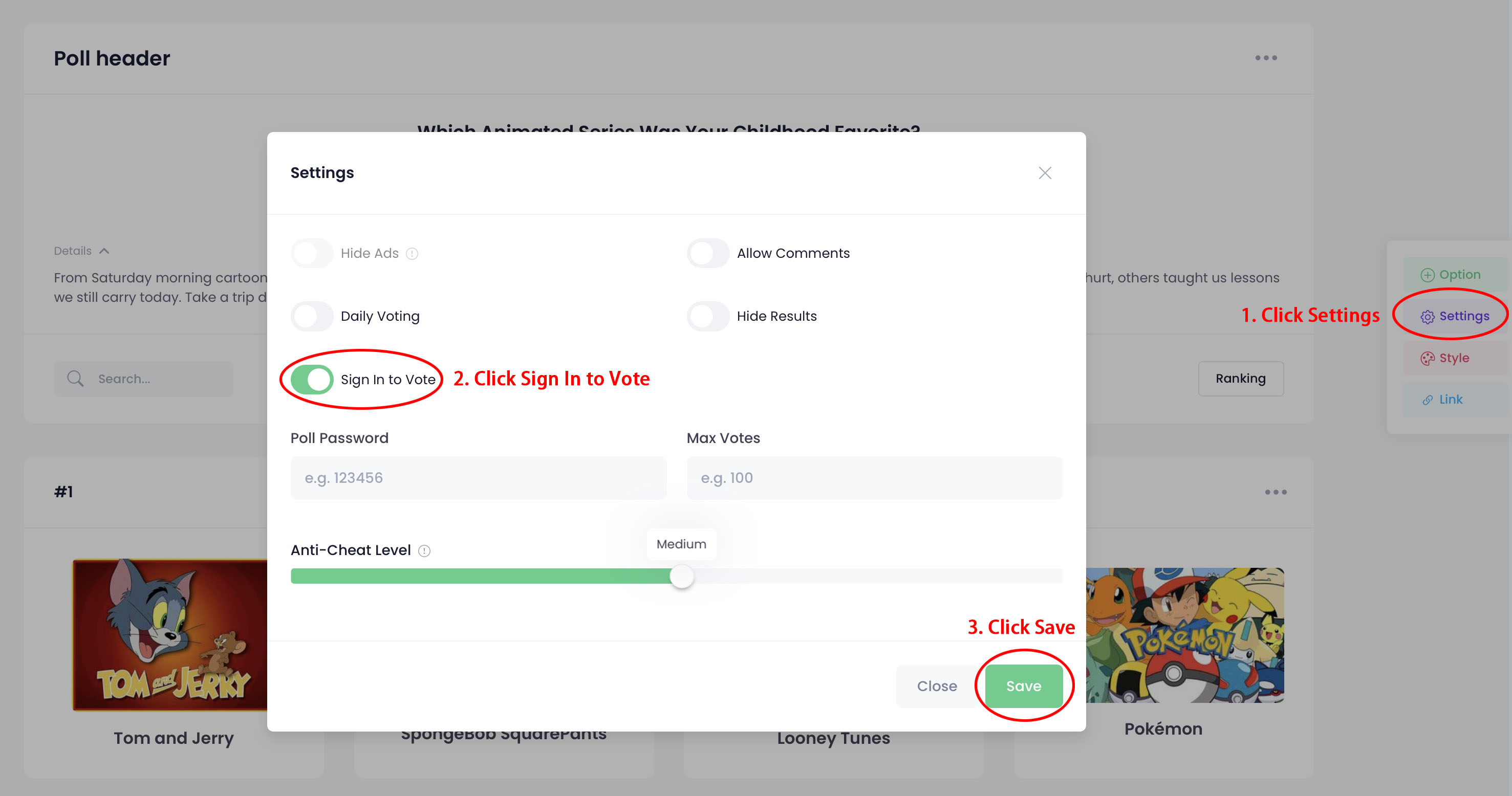
3. Click “Settings” in the right toolbar.

4. Click "Sign In to Vote" and click “Save”.


Recent Blog Posts

Riding the Investmen... From Wall Street to Main Street, 2026 investing in the U.S. ...
When Your Cat Sneeze... Wondering if cats catch colds? Learn the signs, causes, and ...
Creative Christmas F... “Taste the diversity of U.S. Christmas cuisine: crab feasts...
Comparing MiniVote, ... Compare MiniVote, ElectionBuddy, SimplyVoting, and SBS onlin...
We use cookies to improve your browsing experience on our website. Click "Accept" to allow cookies or "Decline" to reject them. Learn more