Blog Post

How to create an image poll?

Mar 14, 2025
Anna
TUTORIAL

1. Click “Create” on the top navigation bar.

2. Fill in the title and other information and click “Next”.

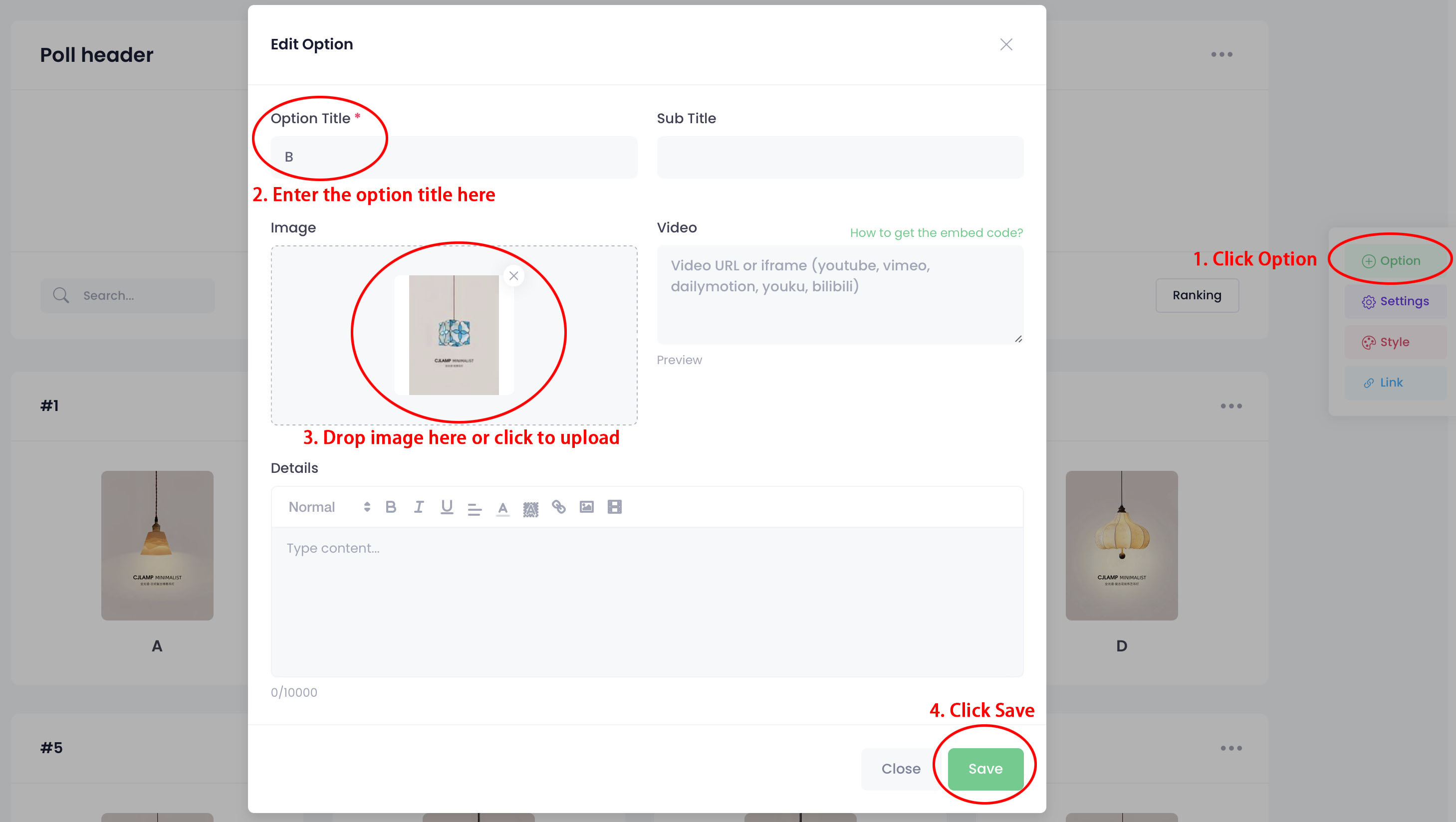
3. Click “Option” in the right toolbar.

4. Enter the text in the “Option Title” field.

5. Add an image of the option in the “Image” field and click “Save”.

Recent Blog Posts

Dentists Say You Mig Dentists explain why rinsing after brushing may reduce the b
Can’t Do a Pull-Up Y Can't do a pull-up yet? Learn how dead hangs, scapular pull-
Should We Change the Small group decisions don't always need another meeting. See
7 Feng Shui Bedroom Simple Feng Shui-inspired bedroom ideas for creating a calme
We use cookies to improve your browsing experience on our website. Click "Accept" to allow cookies or "Decline" to reject them. Learn more